Showing posts with label Panasonic. Show all posts
Showing posts with label Panasonic. Show all posts
Wednesday, November 28, 2012
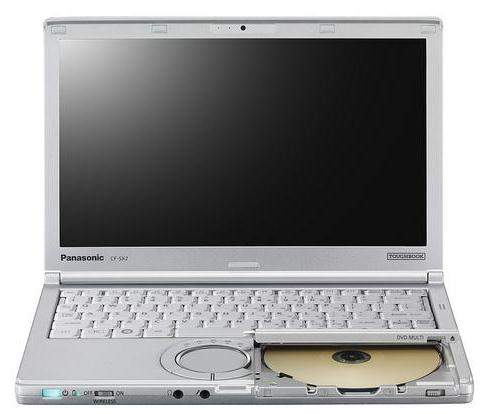
Panasonic Toughbook SX2 Manual User Guide
Panasonic Toughbook SX2 Manual User Guide and Troubleshooting Tips - This Panasonic Toughbook SX2 user manual is available for FREE at Panasonic website, Panasonic Toughbook SX2 merely collect the information, we neither affiliated with the author(s), the website and any brand(s) nor responsible for its content and change of content. (Read our disclaimer before you download the document from the website).
The computer does not power on / The power status indicator or battery indicator is not lit. and Solution it, Following this >Connect the AC adaptor. > Insert a fully charged battery > Remove the battery pack and the AC adaptor, then connect them again >If an additional RAM module has been inserted, remove the RAM module and check to see if the RAM module is the recommended one > When the CPU temperature is high, the computer may not start up to prevent overheat-ing of the CPU. Wait until the computer cools down, and then turn the power on again. If the computer does not power on even after cooling down, contact your technical support office > Pull out the AC cord and wait for more than 1 minute to reconnect the AC cord.
After adding or changing the RAM module, the power is turned on but nothing is dis-played on the screen. Solution: Turn off the computer and remove the RAM module, then confirm whether the RAM module has conformed to specification. When the RAM module has conformed to specification, install it again.
To know more about operating instruction and troubleshooting tips of Panasonic Toughbook SX2 laptop, you can download this Panasonic Toughbook SX2 user manual below.
Download Panasonic Toughbook SX2 User Manual.PDF (1.55 MB)

Tuesday, November 27, 2012
Panasonic TC-P55UT50 Manual User Guide
Panasonic TC-P55UT50 Manual User Guide and Operating Instruction - This Panasonic TC-P55UT50 user manual is available for FREE at Panasonic official website, Panasonic merely collect the information, we neither affiliated with the author(s), the website and any brand(s) nor responsible for its content and change of content. (Read our disclaimer before you download the document from the website).

Why do black bars appear on the top and bottom and/or sides of the screen?
Solution:
Change the format (aspect ratio) of the picture by pressing the FORMAT button on the remote control.
Check the aspect settings on your external video source, such as Cable/Satellite box, DVD/Blu-ray Disc player, etc
Table Contents of Panasonic TC-P55UT50 Manual / Operating Instruction:
- Watching TV
- Internet services “VIERA Connect”
- Home network “DLNA”
- Media player
- Convenience features
- Setting menu
- Basic settings
- Aspect adjustments
- HDMI settings
- Advanced picture
- Advanced audio
- DTV language and SAP settings
- DIGITAL AUDIO OUT terminal
- Network settings
- Lock (parental control)
- Password setting
- 3D settings
- ANT/Cable setup
- Anti Image retention
- VIERA Link settings
- ECO/energy saving
- Support / FAQ
This Panasonic TC-P55UT50 manual is available in PDF file format with 193 pages. The size of this 193-pages Panasonic TC-P55UT50 owners manual PDF file is 1.21 MB. It’s available in English. The Panasonic TC-P55UT50 owners manual gives you any references how to operate Panasonic TC-P55UT50 Full HD 3D Plasma HDTV correctly. Please be sure to read all instructions thoroughly and keep them where they will be read by all who use the product. Improvements and changes to this Panasonic TC-P55UT50 user manual necessitated by typographical errors, inaccuracies of current information
To know more about operating instruction and troubleshooting tips of Panasonic TC-P55UT50 HDTV, you can download this Panasonic TC-P55UT50 user manual.
Subscribe to:
Posts (Atom)